AI Web Design in 2026: What Business Owners Need to Know
You’ve put time and money into your website. It looks fine. Yet the phone isn’t ringing, the contact form sits empty, and visitors seem to vanish after a few seconds.
If that sounds familiar, you’re not alone, and the fix may be closer than you think. The biggest shift in web design right now is AI web design, and it’s helping ordinary businesses build websites that work much harder than the ones they had a few years ago.
So, What Is AI Web Design?
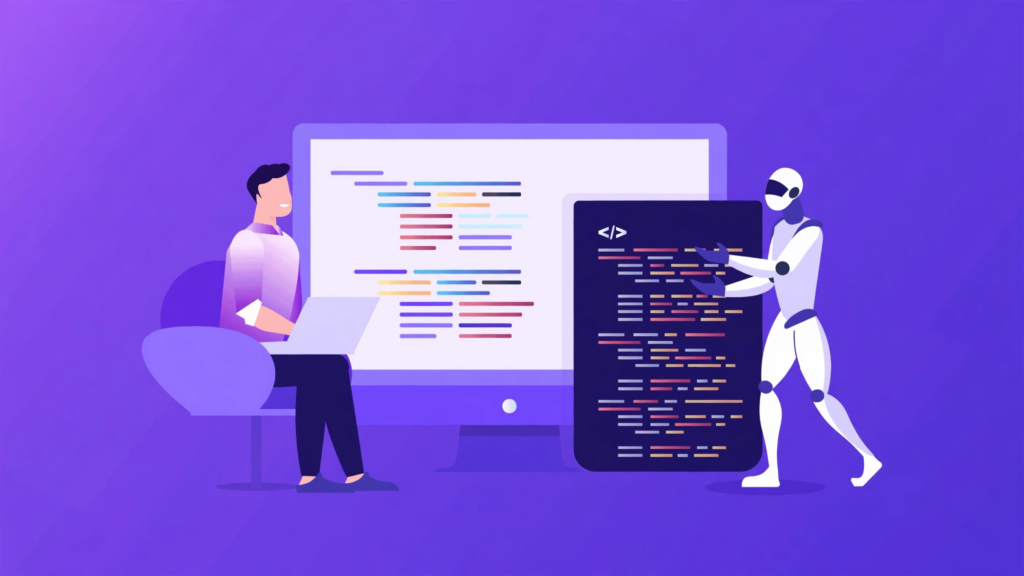
AI web design simply means using artificial intelligence to help plan, build and improve websites. It can suggest layouts, draft early content, spot slow pages, personalize what visitors see and power a chat assistant that answers customer questions.
Here’s the part that matters most: it doesn’t replace designers. A good web design company uses AI the way a carpenter uses a power tool. It speeds up the routine work, so more time goes into the things that make a website great, like strategy, branding and understanding your customers.
Why Everyone Is Talking About It Now
Three changes have pushed AI web design to the front of the conversation.
Customers have less patience. People want answers in seconds. If your site makes them hunt for a price, a phone number or a simple “what do you do?”, they’ll click away.
Search has changed. More people now get answers from AI assistants and search summaries, not just a list of blue links. Websites with clear, helpful answers are the ones that get picked up.
Smart features are finally affordable. Chat assistants and personalization once belonged to big brands with big budgets. Today, a small business website can have them too.
The Problems Most Websites Face (and How AI Helps)
Let’s talk about the pain points we hear most often from business owners.
“My website looks outdated”
Design trends move quickly, and an old-looking site quietly tells visitors your business might be behind too. AI tools let designers explore fresh layouts faster, so you see modern options sooner and launch earlier.
“People visit but don’t get in touch”
Often the problem is that visitors can’t quickly see what to do next. Website personalization helps here. Returning visitors can be shown the services they looked at before, and local visitors can see local offers. When a site feels relevant, people are far more likely to take action.
“I can’t answer enquiries at night”
Your customers don’t only browse during office hours. An AI chatbot for your website can answer common questions about services, pricing and opening times at any hour, then hand real enquiries to your team. The key is training it on your business information, so it gives accurate answers instead of generic ones.
“My site feels slow”
Slow pages cost you visitors and hurt your search rankings. Modern tools can quickly point to what’s dragging a page down, such as oversized images or heavy scripts, which makes website speed easier to fix and keep fixed.
“I’m not showing up on Google”
Search engines and AI assistants reward pages that answer real questions in clear language. That means well-organized headings, helpful content, an FAQ section and clean website development under the hood.
Don’t Forget the Basics
Trends are exciting, but they only work on a solid foundation. Before you add anything fancy, make sure your site is a mobile-friendly website. Most visitors will see it on a phone first, so text should be easy to read, buttons easy to tap and pages quick to load.
Also make sure your site is accessible, with readable contrast, descriptive image text and simple navigation. It’s the right thing to do, and it makes the experience better for everyone.
How to Choose the Right Web Design Services
Not every provider uses AI wisely. When you’re comparing web design services, ask a few simple questions:
- Do you design around my customers, or just around what looks nice?
- How do you make sure the site is fast and works on mobile?
- Will the site be set up so search engines and AI assistants can understand it?
- Can I update my own content easily?
- What support do I get after launch?
The answers will tell you quickly whether you’re talking to a partner or just a template seller.
Common Mistakes to Avoid
Letting AI do everything. Generic, unreviewed content feels hollow and hurts trust. Your website should carry your real experience, your real details and your real voice.
Chasing every trend. Heavy animations and flashy effects can slow your site down. Pick features that serve your goals.
Having no plan. Decide what you want visitors to do, whether that’s call, book, buy or enquire, and design everything to lead there.
Frequently Asked Questions
What is AI web design?
It’s the use of artificial intelligence to help design, build and improve websites, from layouts and content drafts to personalization and customer chat.
Will AI replace web designers?
No. AI handles routine tasks, but strategy, creativity, brand understanding and quality control still need skilled people.
Is AI web design right for a small business website?
Yes. It makes features like chat assistants and personalization affordable, helping smaller businesses compete with larger ones.
How can my website show up in AI-generated answers?
Answer real customer questions clearly, use descriptive headings and FAQs, keep your site fast and mobile-friendly, and use structured data.
How do I know if my website needs a redesign?
Slow loading, poor mobile display, few enquiries, outdated visuals and trouble updating content are the usual warning signs.
The Bottom Line
AI web design isn’t about replacing the human touch. It’s about giving that human touch better tools, so your website can load faster, answer questions sooner and feel more relevant to every visitor.
If your website isn’t bringing in the results you want, iDevelopers can help. Whether you’re launching a personal site or growing a business, our team delivers web design services and website development built around your goals.
Get in touch with iDevelopers today for a free consultation, and let’s build a website that works as hard as you do.